








Cloud computing for business means using internet-based computing resources—such as servers, storage, software, databases, networking, and development platforms—rather than relying entirely on physical infrastructure owned and maintained by a company.
NIST defines cloud computing as on-demand network access to a shared pool of configurable computing resources that can be rapidly provisioned and released with limited management effort.
What Is Cloud Computing for Business?
Businesses use cloud technology to access IT resources when they need them, often with flexible capacity and usage-based pricing.
Instead of purchasing and maintaining all hardware internally, a company can use cloud services for the following:
- Data storage
- Business applications
- Website and application hosting
- Databases
- Backup and disaster recovery
- Software development
- Data analytics
- Artificial intelligence and machine learning
- Remote collaboration
Cloud services can help organizations scale computing resources according to changing business requirements.
How Cloud Computing Works
A typical business cloud workflow looks like this:
Business need → Cloud service → Internet access → Computing resources → Data/application processing → Business results
For example, an online retailer may increase computing capacity during a major sales event and reduce it afterward. This ability to scale resources according to demand is one of the central advantages of cloud computing.
3 Main Types of Cloud Services
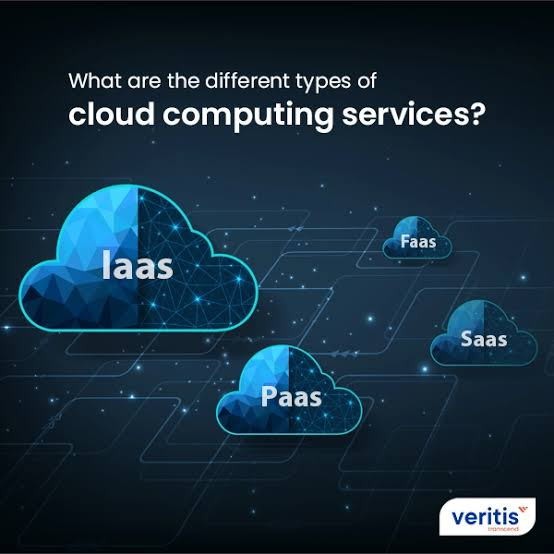
NIST identifies three primary cloud service models: IaaS, PaaS, and SaaS.
1. Infrastructure as a Service (IaaS)
IaaS provides fundamental computing resources such as processing power, storage, and networking.
Businesses can use IaaS when they need greater control over operating systems, applications, storage, and infrastructure configurations.
Common uses:
- Website hosting
- Virtual servers
- Data storage
- Application infrastructure
- Backup system
2. Platform as a Service (PaaS)
PaaS provides a cloud environment where developers can build, test, deploy, and manage applications without managing the underlying physical infrastructure.
It is particularly useful for software development teams that want to accelerate application development.
3. Software as a Service (SaaS)
SaaS provides complete applications through the cloud. Businesses use the software while the provider manages the underlying infrastructure and application maintenance.
Examples of business applications include:
- Customer relationship management
- Accounting
- Collaboration
- Project management
- Human resources software
Cloud Deployment Models
Cloud environments can also be organized into different deployment models.
Public Cloud
Public cloud infrastructure is made available to customers by a cloud provider. It is commonly used when businesses want flexible access to computing resources without operating all infrastructure themselves.
Private Cloud
A private cloud is dedicated to a single organization. It can provide greater control over infrastructure and data and may be appropriate for organizations with specific security or compliance requirements.
Hybrid Cloud
A hybrid cloud combines public and private cloud environments. Businesses can use different environments for different workloads and requirements.
Community Cloud
A community cloud is designed for organizations that share particular requirements, such as security, compliance, or policy concerns.
Benefits of Cloud Computing for Business
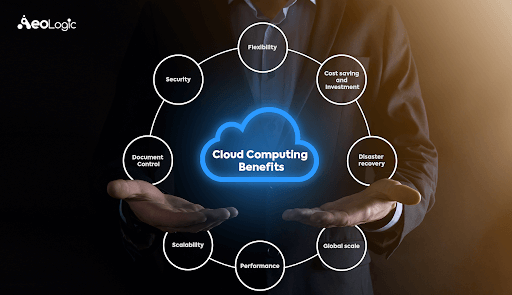
1. Scalability
Businesses can increase or decrease computing resources according to demand instead of relying solely on fixed physical infrastructure.
2. Cost Efficiency
Cloud computing can reduce the need for large upfront investments in physical servers and data-center infrastructure. Organizations can provision resources according to their requirements.
3. Faster Deployment
Cloud resources can be provisioned quickly, allowing businesses and development teams to launch applications and services faster.
4. Remote Accessibility
Employees can access cloud-based applications and information through network-connected devices, supporting distributed and remote work.
5. Improved Business Continuity
Cloud services can support backup and disaster recovery, helping organizations protect digital assets and maintain operations when problems affect local infrastructure.
6. Better Collaboration
Cloud-based applications allow teams in different locations to work with shared information and applications.
7. Support for Data Analytics
Cloud infrastructure can provide substantial computing resources for processing large datasets, making it useful for analytics and big-data workloads.
8. Faster Innovation
Businesses can access development environments and computing resources without waiting to purchase and install physical hardware. This can help development teams test and deploy new ideas faster.
Business Use Cases
Cloud computing is used across many business functions.
Data Storage
Companies can store large volumes of business data in cloud environments and make it accessible to authorized users.
Application Development
Developers can use cloud platforms to build, test, deploy, and manage applications.
Disaster Recovery
Businesses can use cloud infrastructure to back up important digital assets and support recovery after infrastructure failures or other disruptions.
Big Data Analytics
Organizations can use cloud computing resources to process large datasets and generate insights more quickly.
Artificial Intelligence
Cloud platforms can provide specialized computing resources for AI training and inference, including access to high-performance processors.
E-Commerce
Online businesses can use cloud infrastructure to handle changing traffic levels and scale resources during periods of high demand.
Challenges of Cloud Computing
Cloud adoption also requires careful planning. Businesses should consider:
- Security and privacy
- Regulatory compliance
- Data protection
- Internet dependency
- Vendor dependency
- Migration complexity
- Cloud cost management
- Access and identity management
- Business continuity
A successful cloud strategy therefore requires more than simply moving applications to the cloud. Organizations need appropriate security, governance, architecture, monitoring, and cost controls.
Cloud Computing vs. Traditional IT
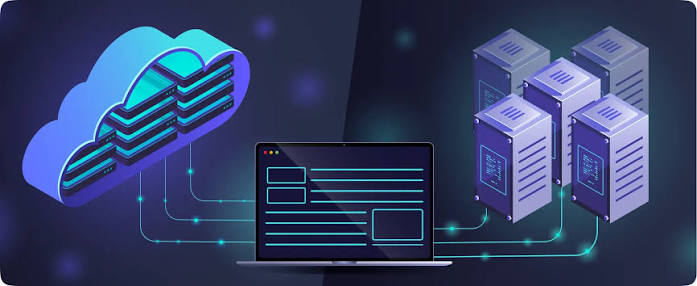
| Feature | Cloud Computing | Traditional IT |
| Infrastructure | Provider-managed or shared | Often company-owned |
| Scalability | Rapid | Usually slower |
| Hardware investment | Lower upfront requirement | Higher upfront requirement |
| Deployment | Fast | Often hardware-dependent |
| Accessibility | Network-based | Often location-dependent |
| Maintenance | Shared with provider | Primarily internal |
| Resource flexibility | High | More limited |
Why Cloud Computing Matters for Businesses
Cloud computing gives businesses access to flexible computing resources without requiring them to build every element of their technology infrastructure themselves. Its combination of scalability, accessibility, faster deployment, data processing, and application support make it an important component of modern business technology.
Conclusion
Cloud computing for business provides organizations with on-demand access to computing resources, applications, storage, platforms, and infrastructure. From startups to large enterprises, businesses can use cloud services for data storage, application development, analytics, disaster recovery, AI, collaboration, and scalable operations.
The most important step is choosing the right combination of IaaS, PaaS, SaaS, and deployment models based on the organization’s security, budget, performance, compliance, and business requirements. NIST’s framework recognizes these three service models and four deployment models as core components of cloud computing.