






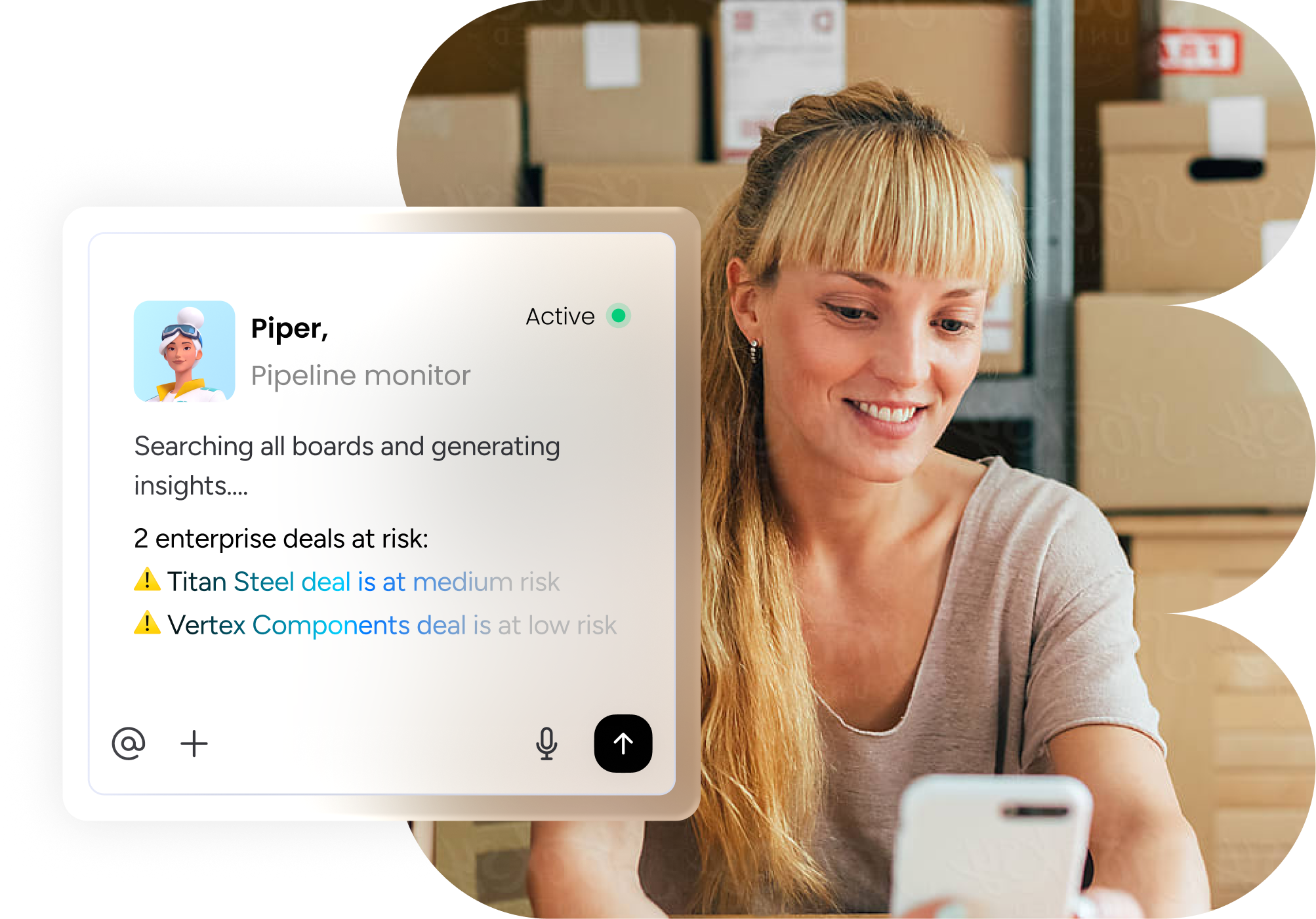
AI agents are changing how small businesses manage leads, customer relationships, sales quotes, and follow-ups. Instead of relying on spreadsheets, email, WhatsApp messages, and manually prepared documents, businesses can use a custom AI-powered CRM that connects the entire sales process.
A custom AI CRM and quoting system can capture an incoming lead, understand the customer’s requirements, check pricing rules, create a branded quotation, save the information in the CRM, and trigger follow-ups automatically.
1. What Is an AI CRM Quoting System?
An AI CRM quoting system combines three major functions:
- AI agent – understands customer requests and performs repetitive tasks.
- CRM – stores leads, contacts, deals, quotes, and customer history.
- Quoting engine—calculates prices and generates professional quotations.
Rather than forcing a small business to adapt to a generic CRM, a custom system can be designed around its existing products, pricing, sales process, and communication channels.
2. How AI Agents Handle the Quoting Process
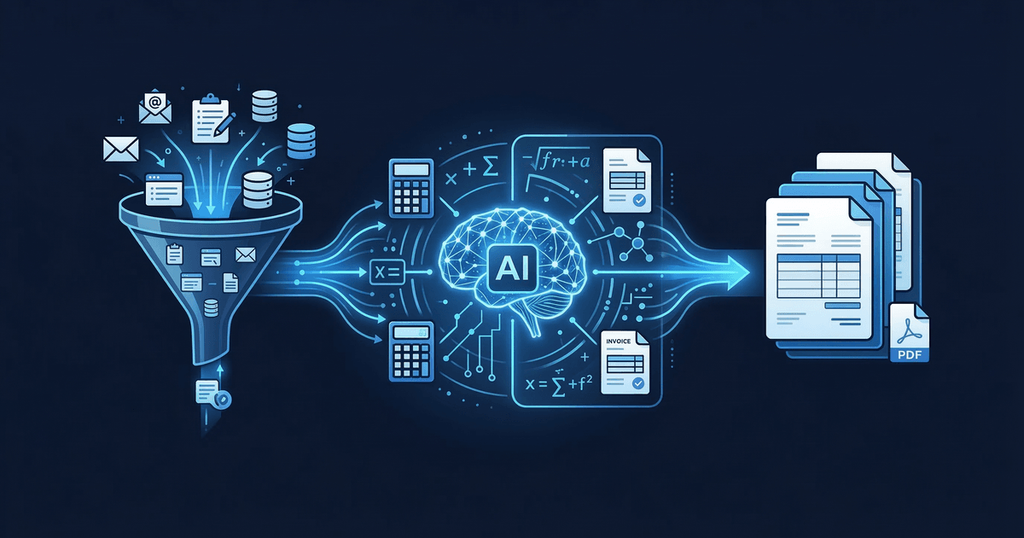
A typical workflow looks like this:
1. Capture the lead
The AI agent receives inquiries from email, website forms, WhatsApp, social media, or other connected channels.
2. Understand the request
The agent extracts important information such as customer name, product, quantity, specifications, location, budget, and deadline.
3. Check pricing
The system retrieves current prices from a spreadsheet, database, ERP, Airtable, product catalog, or another approved source. Pricing rules and discount limits can be built into the workflow.
4. Create the quotation
The AI generates a branded quote containing products or services, prices, discounts, taxes, terms, validity dates, and customer information.
5. Human approval
For unusual discounts, large deals, or uncertain information, the system can require an employee to review the quote before sending it.
6. Send the quote
Once approved, the quotation can be delivered through email or another connected communication channel.
7. Track everything in the CRM
The customer, conversation, quote, status, and follow-up history are stored against the same deal.
8. Automate follow-ups
If the customer does not respond, the AI can send an approved follow-up message after a defined period.
3. Key Features
| Feature | What it does |
| Lead capture | Collects leads automatically |
| AI data extraction | Converts messages and requests into structured customer data |
| Customer database | Stores contacts and customer history |
| Product catalog | Maintains products and services |
| Pricing rules | Applies prices, discounts, taxes, and conditions |
| AI quote generation | Creates customized quotations |
| Branded templates | Produces professional PDFs or web quotes |
| Approval workflows | Sends unusual deals for human review |
| CRM pipeline | Tracks opportunities from lead to sale |
| Automated follow-up | Reminds prospects and sales teams |
| Quote tracking | Monitors sent, opened, accepted, and expired quotes |
| Reporting | Tracks conversion rates, deal value, and quote performance |
Modern quoting systems can also connect quotations with e-signatures, payments, CRM records, and revenue workflows.
4. Example for a Small Business
Imagine a home renovation company receives this WhatsApp message:
- Identify the customer.
- Ask for missing measurements and requirements.
- Create a new CRM opportunity.
- Check the company’s approved pricing.
- Calculate estimated costs.
- Apply the correct discount rules.
- Generate a branded quotation.
- Send it for approval if required.
- Deliver the quote to the customer.
- Schedule a follow-up if there is no response.
This turns a process that may take hours into a largely automated workflow.
5. Benefits for Small Businesses

1. Faster quotations
AI can dramatically reduce the time employees spend preparing quotes. The objective is to move from manually assembling documents to generating a quote from structured business data.
2. Fewer pricing mistakes
Centralized pricing rules reduce the risk of employees using outdated spreadsheets or incorrectly applying discounts.
3. Better lead management
Every inquiry can automatically become a CRM record, making it easier to see which leads are new, quoted, negotiating, won, or lost.
4. Consistent customer communication
The business can establish approved messaging, templates, tone, and follow-up schedules.
5. Less administrative work
Employees spend less time copying information between spreadsheets, CRM systems, documents, and email.
6. Better sales visibility
Business owners can see metrics such as the following:
- Number of new leads
- Quotes sent
- Quote acceptance rate
- Average deal size
- Revenue by salesperson
- Time taken to produce quotes
- Lost opportunities
- Follow-up performance
7. Customization
A custom system can be built around the company’s specific products, pricing, approval rules, and sales process rather than forcing the business into a generic workflow.
6. Industries That Can Benefit
AI-powered CRM quoting systems can work particularly well for businesses that regularly prepare customized estimates, including the following:
- Construction companies
- Contractors
- Home-service businesses
- Automotive dealers
- Real-estate companies
- Marketing agencies
- Web-development agencies
- IT service providers
- Manufacturers
- Wholesalers
- Distributors
- Consultants
- Interior designers
- Event companies
- Equipment suppliers
7. Custom AI CRM vs. Traditional CRM

A traditional CRM primarily helps businesses store customer information and manage sales pipelines.
A custom AI CRM can go further by performing tasks.
For example:
Traditional CRM:
AI CRM agent:
I received the lead, extracted the requirements, checked the approved pricing, prepared the quote, created the CRM opportunity, and prepared the follow-up.”
That agentic approach is increasingly being integrated into major CRM platforms as well; Salesforce, for example, describes AI agents that can retrieve product information, pricing rules, discounts, and deal history to generate quotes.
8. Typical Technology Stack
A custom system may connect:
Customer channels
→ Email / WhatsApp / Website / Forms
AI agent
→ Understands requests and decides which workflow to execute
Business data
→ Product catalog / Pricing database / Google Sheets / ERP
CRM
→ Leads / Contacts / Deals / Quotes
Automation
→ Email / WhatsApp / Calendar / Notifications
Output
→ Quote / Proposal / Invoice / Follow-up
9. Cost and Development
The cost depends heavily on complexity, integrations, data quality, and the amount of custom pricing logic required. One 2026 custom-build example reports €3,500–€10,000 for a small-business AI CRM and quoting system, with a typical 4–6 week deployment and ongoing infrastructure/AI costs of roughly €75–€275 per month. These are example market figures rather than universal prices.
A simple system may be much cheaper, while complex ERP integrations, multi-product pricing, multiple currencies, advanced approval rules, or autonomous workflows can increase development costs.
10. Important Safety and Accuracy Controls

AI should not blindly determine business-critical prices. A good system should have:
- Approved pricing sources
- Clearly defined discount limits
- Human approval for unusual deals
- Audit logs
- Role-based permissions
- Quote version control
- Confidence checks
- Automatic escalation when information is missing
- Testing before autonomous sending
For the first stage, businesses can use a human-in-the-loop model, where AI prepares the quotation but an employee approves it before it reaches the customer.
Conclusion
AI agents can turn a small business’s fragmented quoting process into one connected sales system. They can capture leads, understand requirements, retrieve pricing, generate branded quotes, update the CRM, and manage follow-ups.
The biggest advantage isn’t simply “using AI.” It is connecting AI to the company’s actual pricing, customer data, and sales workflow so repetitive work happens automatically while humans retain control over important decisions.