



Introduction
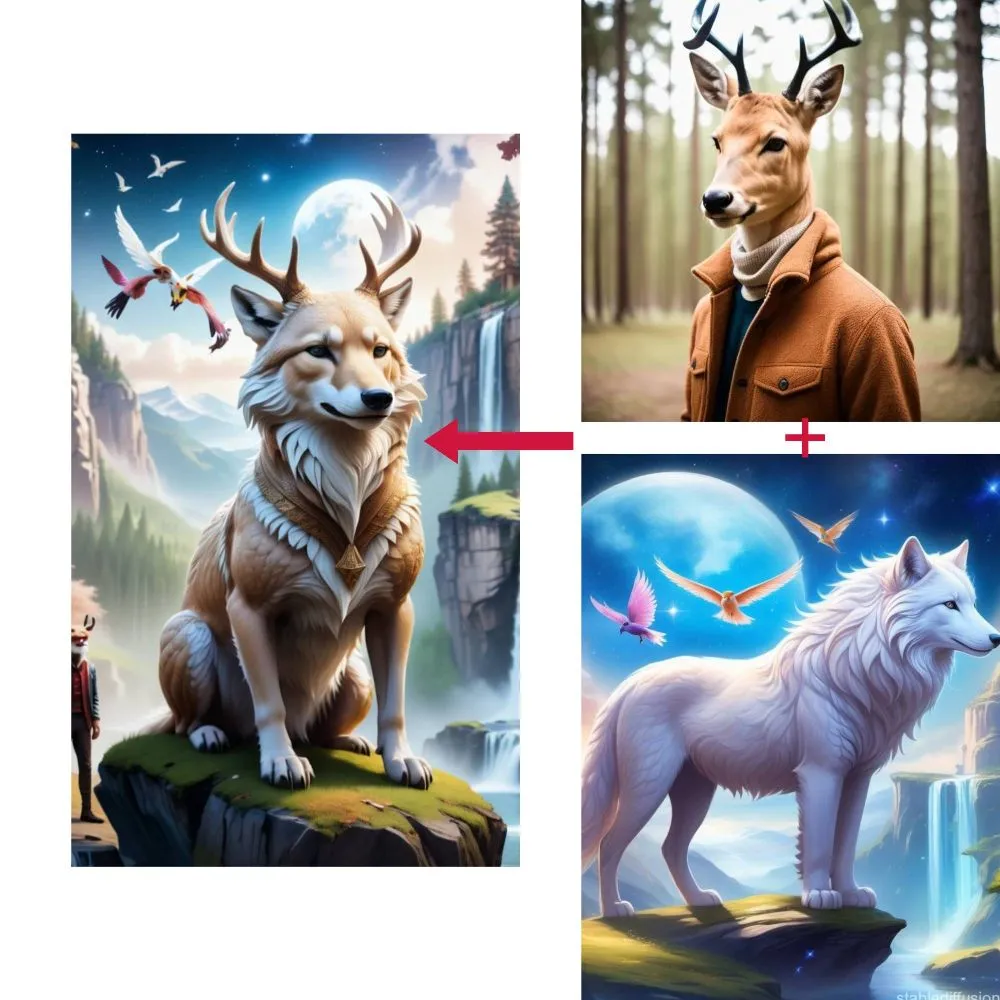
Image Combiner AI is changing the way people create, edit, and enhance digital images. Instead of manually combining multiple photos using complicated editing software, users can take advantage of artificial intelligence (AI) to merge pictures, blend backgrounds, create collages, and develop eye-catching visuals with less effort.
In 2026, AI-powered image combination is useful for content creators, digital marketers, photographers, designers, online sellers, and everyday users. Whether you want to combine two portraits, place a product into a new setting, mix different artistic styles, or create promotional graphics, AI tools can help simplify the creative process.
As AI image technology continues to develop, image combining is becoming more accessible to beginners while offering additional creative possibilities for experienced designers.
What Is Image Combiner AI?
Depending on the tool, these systems may analyze image content, recognize subjects, remove backgrounds, adjust lighting, blend colors, and generate new visual elements to create a more natural result. Traditional photo editing often requires manual cropping, layering, masking, and color correction. AI-assisted tools can automate some of these tasks, making image editing faster and easier.
For example, you could combine a portrait with a landscape, merge several product photos into a promotional image, or blend separate design elements into a creative composition.
How Does Image Combiner AI Work?
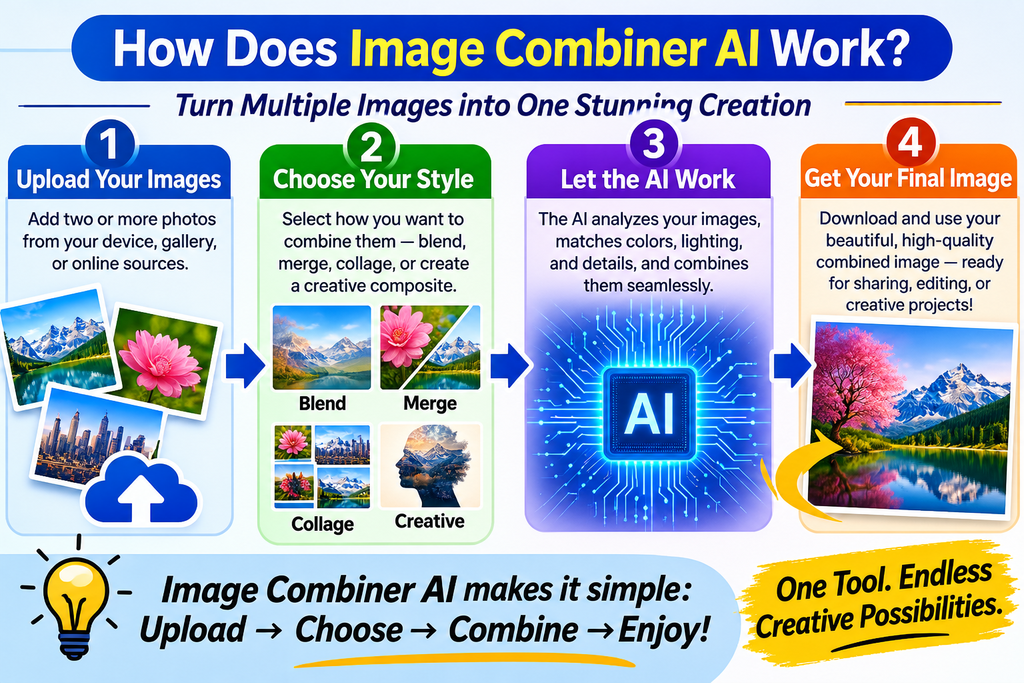
- Upload images: Select two or more images that you want to combine.
- Choose a combination style: Depending on the tool, select a collage, photo blend, background replacement, artistic composition, or another layout.
- Describe your idea: Enter a text prompt explaining how the images should look together.
- Process the images: The tool analyzes the images and applies available editing or generation features.
- Review the result: Adjust positioning, colors, composition, and other settings if needed.
- Export the final image: Download the result in a supported format and resolution.
Not every tool offers all these features. Some simply arrange images in a collage, while others use generative AI to create a more integrated composition.
Best Image Combiner AI Tools in 2026
Different tools serve different needs. Some focus on realistic AI-generated blends(https://ainewsbreak.co.uk/), while others specialize in collages, graphic design, or product photography.
1. Adobe Firefly
Best for realistic photo merging and creative composites. It lets users upload reference images and describe how they should be combined, then refine the generated result.
2. Canva
Best for beginners, social media posts, presentations, and photo collages. Its image-combining features include grids, frames, cropping, overlays, and design templates.
3. Photoroom
Best suited to investigate for online store images, background removal, and product presentation.
Which tool should you choose?
- For realistic AI-generated image merging, start with Adobe Firefly.
- For collages and ready-made layouts, try Canva.
- For artistic effects and social media visuals, explore Picsart.
- For online product images, consider Photoroom.
- For general photo editing and collages, explore Fotor.
Features, pricing, and free usage limits can change. Check each provider’s current terms before committing to a paid plan.
Key Features of Image Combiner AI
1. AI-Powered Photo Merging
AI image combiners can bring multiple pictures into one composition. Depending on the tool, they may automatically blend edges, adjust image placement, and help make the result appear more consistent.
2. Background Replacement
Users can place a subject against a different background without recreating the entire photograph manually. This is particularly useful for product images, portraits, advertisements, and profile pictures.
3. Smart Lighting and Color Matching
When two photographs have different lighting conditions, the finished image can appear unnatural. AI-assisted editing can help harmonize brightness, shadows, contrast, and colors.
4. Creative Style Blending
Some tools can mix the visual characteristics of photographs, illustrations, and other artwork. This makes it possible to experiment with cinematic compositions, fantasy scenes, surreal art, and stylized designs.
How to Combine Images Using AI: Step-by-Step Guide
Step 1: Choose your source images
Select clear, high-quality pictures that suit your intended design. Decide which image supplies the main subject and which provides the background or supporting elements.
Step 2: Upload your pictures
Open your preferred image-combining tool and upload the images. Check the supported file types and size limits.
Step 3: Generate and review
Create the image, inspect the edges and proportions, and check that important details remain accurate. Generate another version if needed.
Step 4: Download and publish
Export the image in a suitable format and resolution. Review licensing, usage permissions, and any required disclosures before publishing or using it commercially.
Benefits of Image Combiner AI
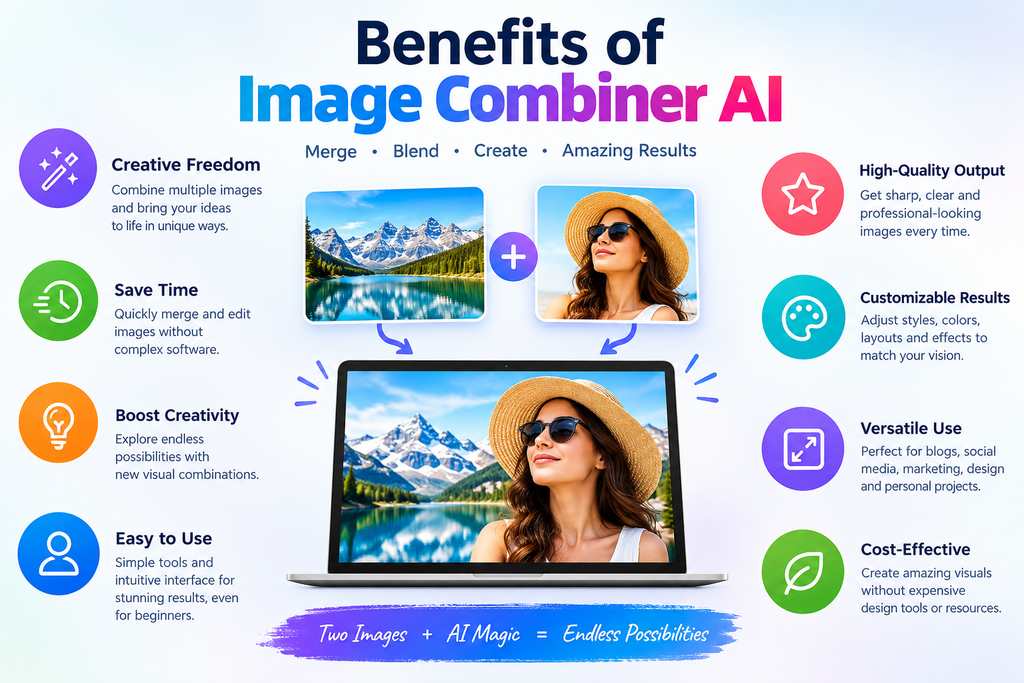
Image Combiner AI offers several advantages for individuals and businesses.
- Saves time: Automates some editing tasks that would otherwise require manual work.
- Easy to use: Many tools provide simple interfaces suitable for beginners.
- Supports creativity: Users can experiment with different backgrounds, styles, and compositions.
- Improves marketing visuals: Businesses can create promotional graphics and product scenes more efficiently.
- Reduces editing complexity: Some tools simplify masking, background changes, and image blending.
- Encourages experimentation: Users can create multiple variations before choosing a final design.
Disadvantages of Image Combiner AI
Despite its benefits, AI image merging has some limitations.
- Inconsistent results: Generated images may contain unnatural edges, incorrect proportions, or mismatched shadows.
- Subscription costs: Advanced features, higher-resolution exports, or additional generations may require payment.
- Privacy concerns: Uploading personal or confidential images can create data-handling risks.
- Copyright considerations: Users need appropriate rights to the source images and should review the tool’s usage terms.
- Possible visual inaccuracies: AI may alter faces, text, product labels, or other important details.
- Internet dependence: Many browser-based tools require a reliable connection.
The best way to address these limitations is to choose a suitable tool, use authorized source images, review every result, and manually correct important details before publication.
Practical Uses of Image Combiner AI in 2026
1. E-commerce and online stores
Combine product photographs with lifestyle backgrounds to create attractive listings, campaign graphics, and promotional images.
2. Blogging and content marketing
Merge photographs into article headers, featured images, comparison graphics, and supporting illustrations.
3. Personal projects and travel
Combine vacation photographs, create memory collages, and design invitations or personalized gifts.
Image Combiner AI vs. Traditional Photo Editing

| Feature | Image Combiner AI | Traditional editing |
| Speed | Often faster for automated tasks | May require more manual work |
| Ease of use | Accessible to beginners | Can require technical knowledge |
| Creative control | Depends on the tool | Often precise and detailed |
| Image blending | Can automate parts of blending | Usually relies on manual techniques |
| Consistency | May introduce AI errors | Allows detailed manual correction |
| Best suited for | Rapid concepts and image merging | Fine control and professional retouching |
Neither approach is always better. AI is useful for rapid experimentation, while traditional editing can provide greater control over complex projects. Many professional workflows combine both methods.
How to Choose the Best Image Combiner AI
Before selecting a tool, consider these important factors:
- Image quality: Does the tool produce realistic and clean compositions?
- Supported features: Does it offer AI blending, background removal, collages, or prompt-based editing?
- Ease of use: Can you complete your project without extensive editing experience?
- Export options: Are high-resolution images and suitable file formats available?
- Cost: Are the free features sufficient, or is a paid subscription necessary?
- Privacy: Does the provider clearly explain how uploaded images are stored and used?
- Commercial permissions: Are the results suitable for your intended business use under the applicable terms?
Conclusion:
Image Combiner AI is making digital image creation faster and more accessible in 2026. By combining photographs, blending backgrounds, generating creative compositions, and simplifying editing tasks, these tools help individuals and businesses turn ideas into engaging visual content. From social media graphics and blog illustrations to product photography and digital art, AI-powered image merging offers many opportunities to improve creative workflows. However, users should still review image quality, protect sensitive photographs, and verify usage rights before publishing their work. The key to getting the best results is choosing the right AI image combiner, writing clear prompts, and refining the final image with human judgment. With the right approach, AI can become a valuable part of a modern visual content strategy.