






Leadde is an AI business video platform that transforms existing content into professional videos. Users can provide a topic, text, script, PDF, Word document, or PowerPoint presentation, and the platform can generate an outline, script, scenes, visuals, captions, and presenter options.
Unlike a basic AI avatar video maker, Leadde helps turn source material into a complete video. Its document-to-video AI can organize lengthy business documents into sections designed for clear spoken delivery.
Users can review and edit scripts, scenes, and visuals before creating the final video. Leadde also supports translation, sharing, and content updates, allowing teams to refresh videos without arranging new recording sessions.
1. What Problems Does Leadde Solve for Businesses?
Business information often begins as policies, presentations, training materials, or documents rather than video-ready content. Turning these materials into professional videos can require presenters, recording equipment, editing, captions, and multiple language versions.
Leadde helps simplify this process by transforming existing business content into structured video projects. For example, when a safety policy changes, a team can update the source material, rebuild the relevant scenes, and review the revised video without arranging an entirely new recording session.
Leads can help businesses reduce the following:
- Long video preparation and production cycles
- Repeated filming when content changes
- Dependence on presenters, editors, or recording equipment
- Inconsistent messaging across teams and regions
- Difficulty turning lengthy documents into engaging visuals
- Extra production work for multilingual videos
2. How Does Leadde Work?

Leadde follows a structured process that turns business content into a professional video. Users can review and adjust each stage instead of relying entirely on an automatically generated final result.
Step 1: Add the Source Material
A project can start with a topic, prompt, script, or uploaded document. These files can contain training materials, sales information, product details, or internal business content.
Leadde can use media included in uploaded sources, so users should make sure reused images, videos, and other assets are current and properly licensed.
Step 2: Choose the Video Settings
Before generating the video, users can define its intended audience and presentation style. Settings may include language, tone, narrative style, audience type, speaker background, training objective, and level of detail.
These choices help the AI create a video that matches the purpose and communication needs of the business.
Step 3: Review the AI-Generated Outline and Script
Leadde analyzes the source material and creates a structured outline with narration for each scene. This initial draft should be treated as editable working content rather than final copy.
Users can reorder ideas, remove repetition, correct technical language, and regenerate or edit selected sections. Human review is especially important for legal terms, tables, exceptions, and technical definitions. Reviewers should verify claims against the original source and identify information that requires legal, medical, or technical approval.
Step 4: Edit the Video in the Studio
Leadde provides an AI video editing platform where users can manage scenes alongside the main video canvas. Teams can reorder scenes and adjust individual visual elements to create a polished presentation.
Users can align, layer, crop, and animate visual elements while using playback controls to synchronize visuals with narration. They can also upload media or create visual assets within the editor. The Slide Presenter feature can transform PowerPoint content into narrated video scenes.
3. Who Is Leadde Best Suited For?
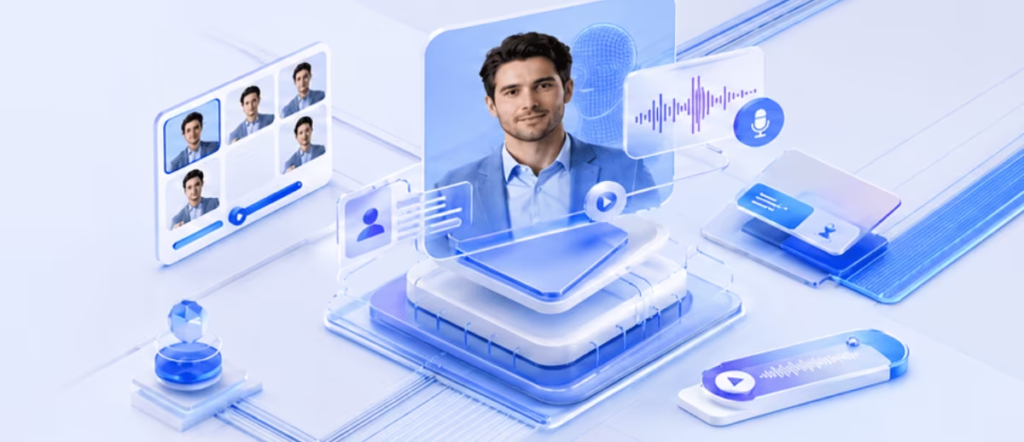
Leadde is well suited to teams that manage knowledge-heavy content and need to update videos regularly. Marketing teams can turn reports into engaging summaries, while HR departments can use the text-to-video platform for onboarding and internal communications. Sales teams can also transform approved presentations into clear, professional videos.
Learning and development teams can use an AI video maker for training and onboarding to convert manuals, presentations, and learning objectives into structured video content. Organizations working across multiple regions may also benefit from language and voice options. However, local reviewers should verify terminology, pronunciation, and cultural context before publishing.
Leed.ai can also benefit teams that frequently reuse approved content. A master project can be updated as information changes, reducing the need to rebuild every scene from scratch.
Conclusion
Business information becomes more useful when employees and customers can easily access and understand it. Leadde provides a practical way to transform approved documents, presentations, and scripts into editable professional videos.
The platform handles much of the initial video production process, while teams remain responsible for accuracy, branding, and final approval. When source material changes, projects can also be updated without starting from scratch.
For businesses looking to turn existing content into clear, engaging videos, Leadde offers a streamlined approach to content creation, training, communication, and knowledge sharing.