





Building an AI application on a laptop in 2026 is more accessible than ever. You can create AI chatbots, image recognition tools, productivity assistants, document analyzers, and intelligent business applications without purchasing an expensive workstation or building a dedicated server.
The key is to choose the right programming language, AI model, development tools, and project based on your laptop’s capabilities. Beginners can start with cloud-based AI services, while developers with more powerful laptops can experiment with AI models that run locally.
This guide explains how to build an AI application step by step, including the tools, hardware requirements, benefits, challenges, and future opportunities.
What Is an AI Application?
An AI application is a software program that uses artificial intelligence to perform tasks that typically require human-like capabilities, such as understanding language, recognizing images, generating content, analyzing information, or making predictions.
For example, an AI application built on a laptop could answer customer questions, summarize PDF documents, recommend products, translate text, or help users organize their daily activities.
Common types of AI applications include:
- AI chatbots: Answer questions and assist customers.
- Writing assistants: Generate, rewrite, and summarize content.
- Image recognition tools: Identify objects, products, or visual patterns.
- Business automation apps: Help automate repetitive tasks.
- Recommendation systems: Suggest products, videos, or services.
- Document analysis tools: Extract information from reports, PDFs, and other files.
The best starting project is one that solves a specific problem rather than trying to build a complex AI system immediately.
1. Choose the Right Laptop for AI Development
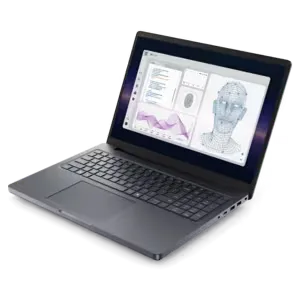
Your laptop‘s specifications affect how quickly you can develop, test, and run an AI application. However, you do not need a high-end gaming laptop for every AI project.
| Hardware component | Recommended starting point | Better for local AI |
| Processor | Recent Intel Core or AMD Ryzen | Higher-performance multicore CPU |
| RAM | 8 GB minimum for basic projects | 16–32 GB or more |
| Storage | SSD with 256 GB | 512 GB–1 TB SSD |
| Graphics | Integrated graphics | Compatible dedicated GPU |
| Operating system | Windows, macOS, or Linux | Depends on framework and hardware support |
Important: These are practical guidelines, not strict requirements. Lightweight Python applications can run on modest hardware. Larger language models and image-generation systems may require substantial memory and GPU resources.
2. Choose the Best Programming Language
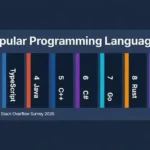
Python is usually the easiest programming language for beginners who want to build AI applications. It offers extensive machine-learning libraries, tutorials, and integrations with AI services.
Python
Best for machine learning, chatbots, data analysis, automation, and AI model development. Popular libraries include PyTorch, scikit-learn, and Transformers.
Java
Suitable for enterprise applications, backend systems, and Android development.
For most beginners, start with Python. Learn basic variables, functions, packages, and file handling before moving to advanced machine-learning techniques.
3. Install Essential AI Development Tools
You can prepare your laptop using free development tools and libraries. Choose tools according to the kind of application you want to create.
| Tool | Main purpose |
| Visual Studio Code | Write and manage code |
| Python | Build application logic and AI workflows |
| Jupyter Notebook | Experiment with data and models |
| Git | Track code changes |
| Streamlit | Create a simple interactive AI interface |
| PyTorch | Train and run machine-learning models |
| Ollama | Run supported AI language models locally |
Some tools are optional. For a first chatbot, Python, a code editor, and either a hosted AI API or a locally supported model may be enough.
4. Step-by-Step: Build Your First AI Application
A good beginner project is an AI text assistant that accepts a question or paragraph and generates a helpful response. You can build its interface using Streamlit and connect it to a hosted AI model.
Follow these steps to create the first version.
Step 1: Install Python
Download Python from the official website:
Python downloads
Visual Studio Code
After installing Python, open your terminal or Windows PowerShell and check that Python works:
On some Windows installations, you may need to use py –version instead.
Step 2: Create a project folder
Create a folder called ai-laptop-app, open a terminal in that folder, and run:
Activate the virtual environment.
Windows PowerShell:
macOS or Linux:
Step 3: Install Streamlit
Run the following command:
Streamlit lets you create interactive web interfaces using Python, without needing to build a separate frontend from scratch
5. Connect Your App to an AI Model
The next step is to give your application an AI engine. There are two common approaches.
Option A: Use a cloud AI API
Your laptop sends a request to an AI provider over the internet and displays the returned answer. This is usually the easiest approach for beginners and for laptops without powerful GPUs.
- Generally supports more capable hosted models.
- Requires an internet connection.
- May incur usage charges.
Option B: Run a local AI model
Tools such as Ollama can run compatible models on your own computer.
- Can support local processing without sending prompts to a cloud API.
- Requires sufficient memory and storage.
- Performance and model quality depend on the hardware and model selected.
Ollama also provides an API for applications to communicate with supported local models.
6. Test and Improve Your AI Application
Testing helps ensure your AI application works reliably on your laptop and provides useful results.
Use the following checklist:
- Test normal questions and unexpected inputs.
- Check how the application responds to empty or extremely long text.
- Verify the accuracy and relevance of AI-generated answers.
- Handle API errors, network failures, and rate limits.
- Measure response time and resource consumption.
- Check how the application behaves when multiple users access it.
- Test that private information and API credentials are protected.
AI applications can produce incorrect or fabricated information. If your application provides business, financial, legal, or health-related guidance, include suitable limitations and human review where appropriate.
7. Benefits of Building AI Applications on a Laptop

Lower initial costs
You can start with your existing laptop and free development tools rather than purchasing dedicated servers.
Flexible learning
Experiment with programming, prompts, data processing, and machine-learning techniques at your own pace.
Fast prototyping
Create an early version, collect feedback, and improve the product before investing in a larger infrastructure.
More control over development
Choose the user interface, model provider, data sources, and application features that fit your goals.
Privacy options
Local models can help keep data on your device, provided the entire application workflow is configured to avoid sending it elsewhere.
8. Challenges of Laptop-Based AI Development
Although laptop development is convenient, it also comes with limitations.
| Challenge | Practical solution |
| Limited RAM | Use smaller models, reduce batch sizes, or use a cloud API |
| Slow processing | Optimize code and choose a suitable model |
| High API costs | Set usage limits, monitor spending, and cache appropriate results |
| Incorrect AI answers | Test outputs and validate important claims |
The right solution depends on your project’s complexity. A small text assistant is far easier to run than training a large language model from scratch.
9.Future of AI Application Development in 2026
AI application development is evolving beyond basic chatbots. Developers can combine language models, image understanding, voice interfaces, and external tools to build applications that perform more complex tasks.
Key developments to explore include:
- AI agents: Applications that use tools and follow multistep workflows to complete tasks.
- Multimodal AI: Systems that process text, images, audio, or combinations of these inputs.
- Local AI models: Models that run directly on compatible personal computers.
- AI-assisted coding: Tools that help developers draft, explain, debug, and test code.
- Personalized AI applications: Software adapted to a user’s preferences and permitted data.
- Smarter business automation: Applications that connect AI models with business systems and structured data.
Developers should also prioritize reliability, transparency, privacy, and security. These qualities matter just as much as adding advanced AI features.
Conclusion
Building an AI application on a laptop in 2026 is a practical way to learn programming, explore artificial intelligence, and develop useful digital products. Start with Python and a simple interface, connect an existing AI model, and test your application with real-world examples.
As your skills improve, you can add document processing, automation, image analysis, or other advanced capabilities. You do not need to build everything at once: a small, reliable application is a better starting point than a complicated project that is difficult to maintain.
Frequently Asked Questions (FAQs)
1. Can I build an AI application on a normal laptop?
Yes. You can develop many AI applications on a standard laptop using Python, a lightweight interface framework, and a cloud-based AI API. Local model execution requires hardware suited to the chosen model.
2. Do I need a dedicated GPU to build an AI application?
No. A dedicated GPU is useful for many local machine-learning workloads, but it is not essential for building applications that use hosted AI models or perform lightweight tasks.
3. Which programming language is best for AI development?
Python is an excellent starting point because it has extensive AI libraries, learning resources, and integrations. JavaScript and TypeScript are also useful for web-based AI applications.
4. Can I build an AI application without training a model?
Yes. You can connect an existing AI model through an API or run a compatible pretrained model locally. Training a model from scratch is not required for most beginner projects.